Your time, your call.
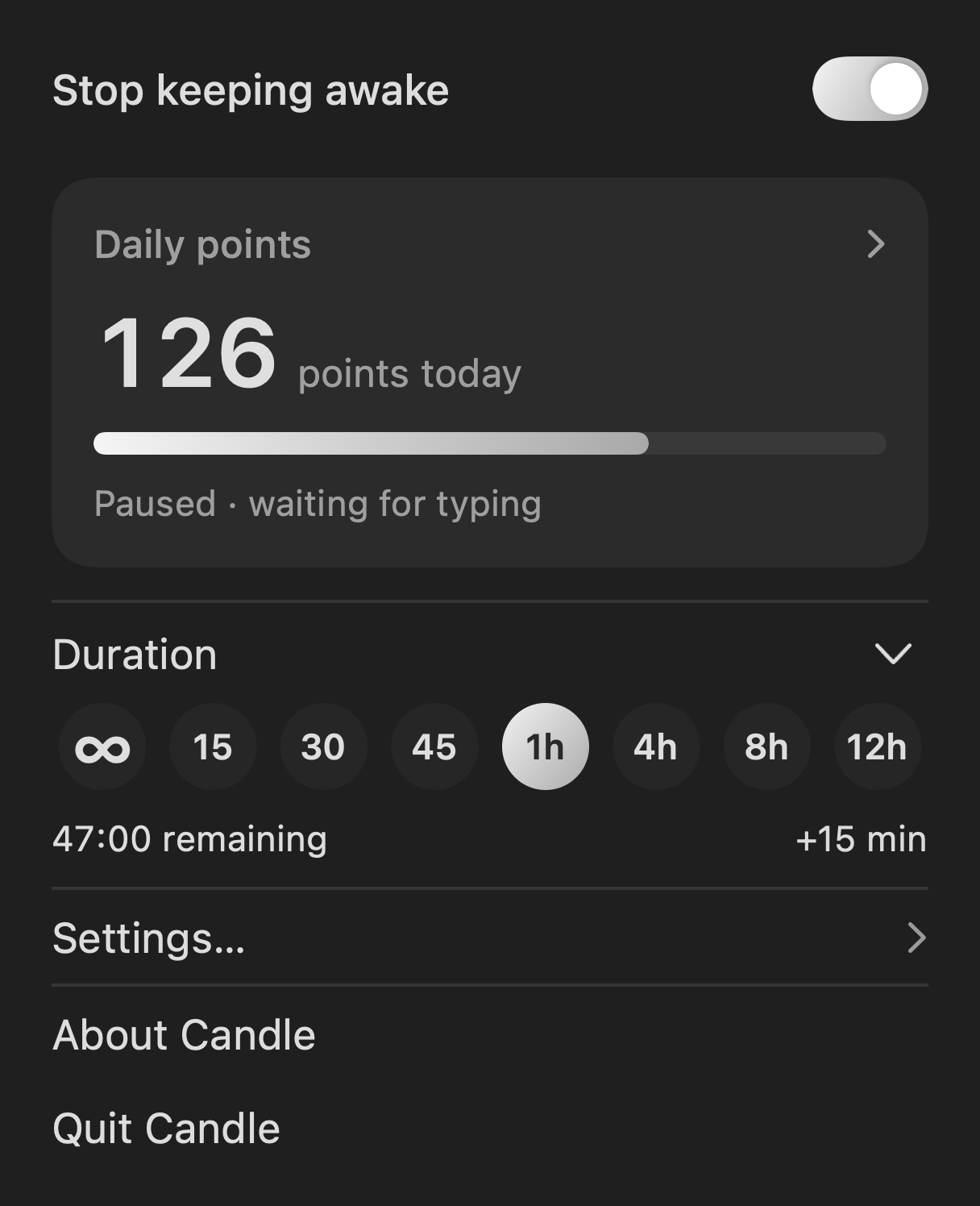
Choose a preset, set a custom timer, or keep going indefinitely. Add another fifteen minutes when you need them.
A LITTLE MORE TIME.
Keep your Mac awake
while you work.
Quiet by design. Ready when you are.
01 / STAY WITH THE MOMENT
A presentation. A long read. That last good idea. Give yourself a little more time without your screen drifting off.
Choose a preset, set a custom timer, or keep going indefinitely. Add another fifteen minutes when you need them.
Keep your screen and Mac awake together, or let the display rest while your Mac keeps working.
A small flame in your menu bar. Light and dark mode follow your Mac. No points pop-ups interrupting your flow.
02 / TIME WELL SPENT
Turn active keyboard minutes
into a daily rhythm.
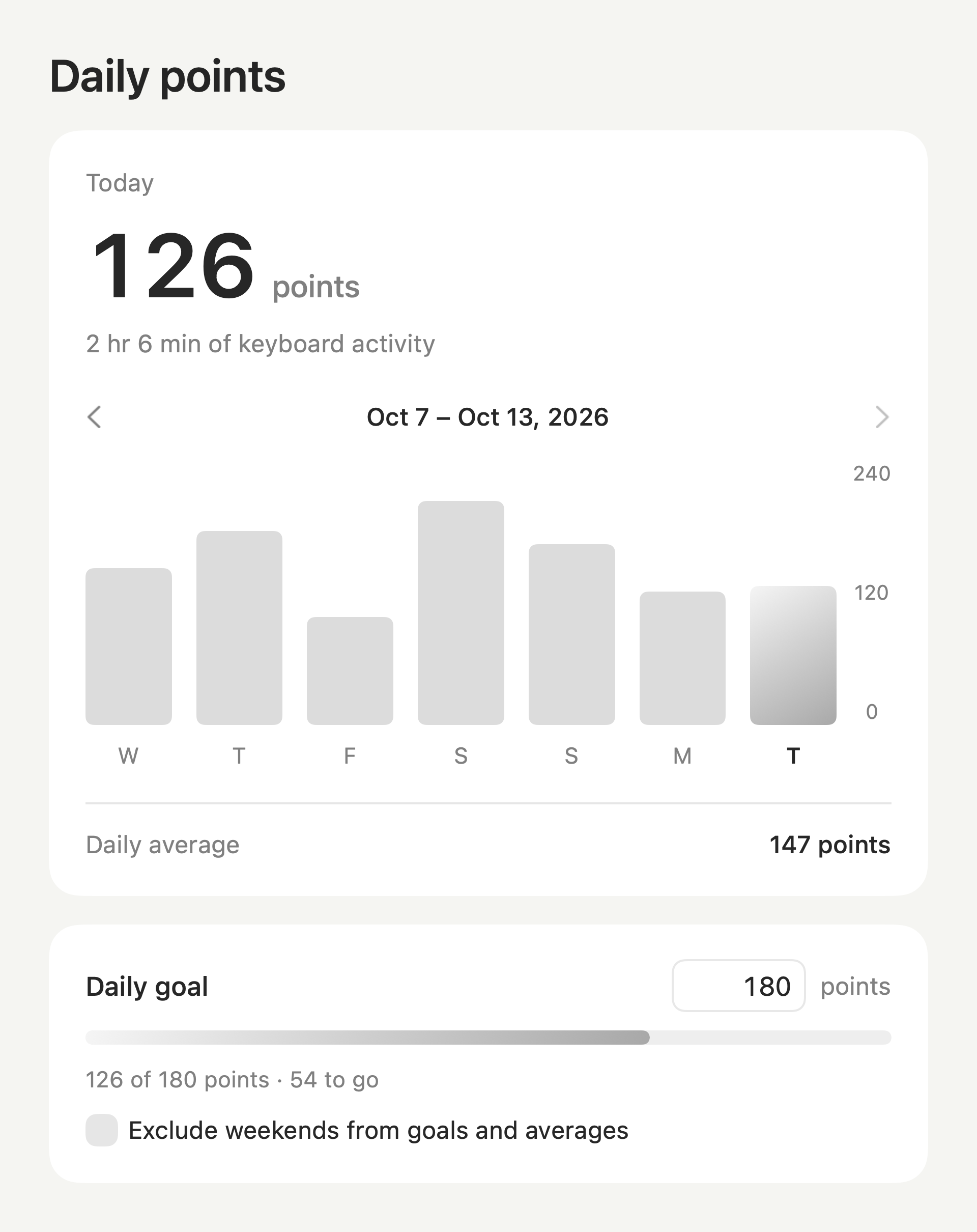
Optional activity tracking gives you one point for each active minute. See your week, set your own daily goal, and leave weekends out when you want to.
Your words stay yours.
We never record what you type.

CANDLE FOR MAC
One little app. A little more time.
Coming soon to the Mac App Store
macOS 13 or later · No ads · No subscriptions · No account
Questions? We’re here. ↗